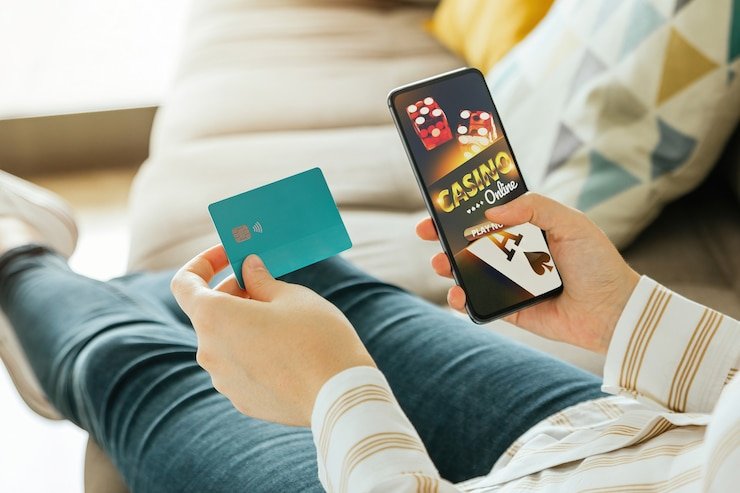
The 5555betgame app experience is built into the mobile browser — open the site on your phone and your full account, game lobby, and wallet are right there without a separate install step. Access depends on local law and is available where local law permits in Pakistan.
When you open 5555betgame on a mobile browser, the layout shifts to a single-column navigation that puts your account, wallet, and game categories within thumb reach. The lobby loads with the same game titles available on desktop — slots from Pragmatic Play and Habanero, crash games like Crash Blitz, and live dealer tables including Baccarat Expresslane. Your account wallet shows the current balance and transaction record without switching screens. Help pages and support routes are reachable from the hamburger menu at the top right. There is no separate APK or app-store listing to manage; the site itself is the app interface. Check your account dashboard after login to see the current state of any account-specific options available to you.
APP FEATURE SNAPSHOT
What the Mobile Interface Delivers
The mobile layout is designed around how Pakistan players actually use the site — quick account checks, fast game discovery, and wallet access without navigating away. Each feature below reflects what renders in a supported mobile browser, not inferred native-app behaviour.
Responsive Game Lobby
The full game catalogue — including titles from Pragmatic Play, Habanero, Bigtime Gaming and Joker — loads in a scrollable mobile rail. You can filter by category and open any title directly from the lobby without leaving the page.
Wallet and Account Row
Your balance, deposit route, and transaction history sit in a compact header row once you are logged in. The current state of your wallet is shown there in real time; no separate app screen or refresh needed to check it.
Payment Access on Mobile
Raast, Bank Transfer, and Debit Card payment routes are accessible from the deposit section in your mobile account. Follow the fields and limits shown in your account for the correct steps; do not rely on cached instructions.
Support and Help Pages
The support chat link and help section are reachable from the mobile menu. If you run into an access issue on a specific device or browser, the help page lists the steps to follow and the channel to contact.
THREE STEPS TO START
Mobile Access in 3 Steps
Getting into your account on a mobile device takes three straightforward steps. No file downloads or store approvals are needed — the process runs entirely through your browser. Make sure you are visiting the current domain, 5555betgame, to avoid phishing copies that can look similar on a small screen.
Open the current site
Type 5555betgame directly into your mobile browser address bar. Do not follow links from unknown messages. Confirm the domain matches exactly before entering any credentials.
Check browser compatibility
The site works on current versions of Chrome, Safari, and Firefox for Android and iOS. If a page element is not rendering correctly, update your browser first and try again before contacting support.
Sign in to your account
Use your registered email and password on the login screen. The account dashboard loads with your wallet balance and game lobby ready. If you have forgotten your password, use the recovery link shown on the login page.
Verify your access options
After login, open the account section to check which payment routes and game categories are currently available in your region. The dashboard shows the current state; availability depends on local law and eligible regions.
DEVICE COMPATIBILITY CHECK
Check Which Devices Work with the App
Mobile browser access covers a wide range of devices, but the best experience comes from keeping your browser and operating system reasonably up to date. The points below tell you what to check before contacting support about a display or login issue.
Browser version
Use the latest stable release of Chrome, Safari, or Firefox. Older browser versions may not render the game lobby or wallet sections correctly. Check your browser's About page to confirm the version you are running.
Screen layout
The mobile layout is optimised for portrait orientation on standard smartphone screens. Landscape mode is supported for game play, but the account navigation works best in portrait. Tablet layouts use a wider card grid similar to the desktop view.
Account login requirements
You need a verified 5555betgame account to access the wallet, deposit routes including Raast and Bank Transfer, and the full game lobby. Game previews may be visible without login, but account features require sign-in.
Currently supported devices
For a specific device compatibility question, the help section in your account lists the currently supported browsers and any known display issues. That page is updated when the site changes, so it is more reliable than cached third-party device lists.
Connection and data
Live dealer tables like Baccarat Expresslane and crash games like Crash Blitz use a continuous data stream. A stable mobile data or Wi-Fi connection gives you the smoothest experience; weak connections can interrupt the live feed.
APP SUPPORT CHANNELS
Get Help with Mobile App Access
If the mobile site is not loading correctly, your account is showing an unexpected state, or you need help with a payment step like Raast or Debit Card on your phone, the channels below connect you to the team. Use the channel that matches how urgent the issue is.
Live support chat
The support chat is accessible from the help icon in the mobile menu. Open it while you are on the screen where the issue appears — that way the agent can see the same account state you are looking at and resolve it faster.
Email support
For non-urgent account questions or to send a screenshot of a mobile display issue, use the email address listed in the Contact section of your account dashboard. Include your registered email and a brief description of the device and browser you are using.
In-account help section
The help section under your account menu covers the most common mobile access questions: browser settings, login recovery, payment steps for Bank Transfer and Raast, and how to reach the game lobby on different devices.
MOBILE ACCESS TRUST CHECKS
Keep Your Mobile Account Access Secure
Using a mobile browser rather than a native app means a few extra verification habits matter. The steps below are the ones we ask you to follow to keep your account secure when accessing 5555betgame on a phone or tablet.
Verify the current domain
Before logging in, confirm the address bar shows 5555betgame with a padlock icon. Phishing copies of the login screen circulate on mobile; an exact domain check before you type your password takes two seconds and stops the most common account compromise method.
Review published device guidance
The device and browser guidance in your account help section is maintained by the team and reflects the current site build. If a third-party source contradicts it, follow the in-account version — it is the one we can stand behind.
Protect your account credentials
Use a password that is unique to 5555betgame and not shared with your JazzCash, Easypaisa, or banking apps. If you access the site from a shared or public device, log out manually after each session rather than relying on the session to expire.
Use the published recovery path
If you cannot log in, use the password recovery link on the login page — it sends a reset to your registered email. Do not share your account details with anyone claiming to offer recovery help outside that official flow.
APP QUESTIONS ANSWERED
Common Questions About the 5555betgame App
These are the questions that come up most often from Pakistan members using the mobile site. If your question is not covered here, the support chat and help section in your account have more specific answers.
Is there a 5555betgame app available for Android or iOS?
The 5555betgame experience runs through your mobile browser rather than a store-listed app. Open 5555betgame in Chrome or Safari on your phone and the full account, wallet, and game lobby are available. Check the account dashboard to see whether a native app build is currently offered in your region.
Do I need to download anything to use 5555betgame on my phone?
No download is required. The mobile site loads directly in a supported browser — Chrome, Safari, or Firefox on a current Android or iOS device. Your account, game lobby including titles like Desert Diamond Slots and Crash Blitz, and wallet all work through the browser without any file install.
Can I deposit using Raast or Bank Transfer from the mobile site?
Yes. Once logged in, open the deposit section in your account. The payment routes available to you — which may include Raast, Bank Transfer, and Debit Card — are listed there along with the current fields and limits. Follow the instructions shown in your account, as steps can vary by route and region.
Why is the 5555betgame app not loading correctly on my phone?
The most common causes are an outdated browser or a weak data connection. Update your browser to the latest version and try again. If the issue continues, open the help section in your account for a device-specific troubleshooting list, or contact support chat from the mobile menu with details of your device and browser version.
Are all game types available on the mobile site?
Slots from Pragmatic Play, Habanero, Bigtime Gaming and Joker, live dealer tables including Baccarat Expresslane, and sports categories covering cricket and PSL matches are accessible from the mobile lobby. Some game types may require a stronger connection; live dealer streams like Baccarat Expresslane work best on stable Wi-Fi or 4G.
How do I recover my account if I cannot log in on mobile?
Use the password recovery link on the login screen. It sends a reset link to your registered email address. Complete the reset in that same browser session if possible. If you no longer have access to the registered email, contact support via the email channel listed in the Contact section and include your account details for verification.
 Sports / App